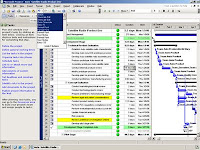
So you have a schedule on your project, eh? Is it really being put to good use? I can't tell you how many times I have received a project manager's
MS Project schedule to find that none of the activities are linked together. For example, task #3 cannot start until task #2 is completed. The benefit of creating these dependencies is that when the date of a task changes, it automatically reflects the changes in the subsequent tasks thereby creating a new critical path. Done correctly, it allows executives in advance to determine when the project or projects are slated to be completed.
When I used to schedule for a contractor out of Orlando, FL I would chase down those who had responsibility for completing the tasks. In turn, I would then update the schedule to indicate the progress, or lack thereof, that had been made. By the time I collected the updates and generated a PDF view of the schedule, it was already outdated. Frankly, the schedule was eye candy for the owner while the field was using weekly lookaheads on graph paper to truly manage their tasks.
Enter "collaborative scheduling" whereby the project schedule is available online via a web-based project management/scheduling system through a browser.
- Those responsible for the task can update the task themselves - with management approval if needed.
- When the critical path changes, it instantly notifies everyone downstream of the change via email.
- The ability to roll-up all the milestones across all the projects is always available without having to chase down multiple project managers.
Here is the problem. Too many users of non-collaborative scheduling tools think that by web-enabling the schedule, it will ensure accurate and timely updates. For one, it is not practical for a contractor's detailed schedule to be posted online. The reason is that many of those who are responsible for the tasks do not have easy or regular access to the Internet.
If I put on my "owners" hat however, the value proposition becomes stronger.
- First, an owner's schedule is likely comprised of 50 milestones or less.
- Second, a cross section of managers are likely the ones responsible for updating the schedule. These managers are regular users of web-based systems and have regular access to the Internet.
- In some cases, the contractor is asked to update their tasks. This is usually done with little resistance because to update 2 or 3 tasks once a week is not considered to be a burden (remember that the contractor has his/her own detailed schedule that is being updated at a greater frequency).
In summary, while there are benefits to collaborative scheduling, be sure to ask the right questions to determine when it is the best fit.